 FREE
Open beta — free for everyone
The all-in-one gaming hub
for you and your squad
Chat, voice, communities, party finder, server browser and news of your games — in one app instead of five. Built for gamers, not a Discord clone.
Everything around your games in one place
Chat with your friends
Direct messages and groups with reactions, replies, images and files — end-to-end encrypted and synced across your devices.
Voice while you play
Voice channels and calls with noise gate, per-person volume and an in-game overlay that shows who is talking.
Communities for your clan
Text and voice channels, forums, raid planner, tournaments and ELO ladders — on a community server you control.
Party finder
Find people for your next match or post your own group — right in the games hub.
Server browser & game news
Browse Steam game servers, check Steam charts and the release calendar, and read news of the games you play.
Profile ranking
A weekly profile contest and house battles — with medals and badges that show up on your profile.
A games hub, not just a chat app
Discover → Games is your home for playing together: party finder, Steam server browser, Steam charts and release calendar, news of your games and quick launch on the desktop app. Community servers add game-server status panels for 350+ games, raid planners and tournaments.
See all features →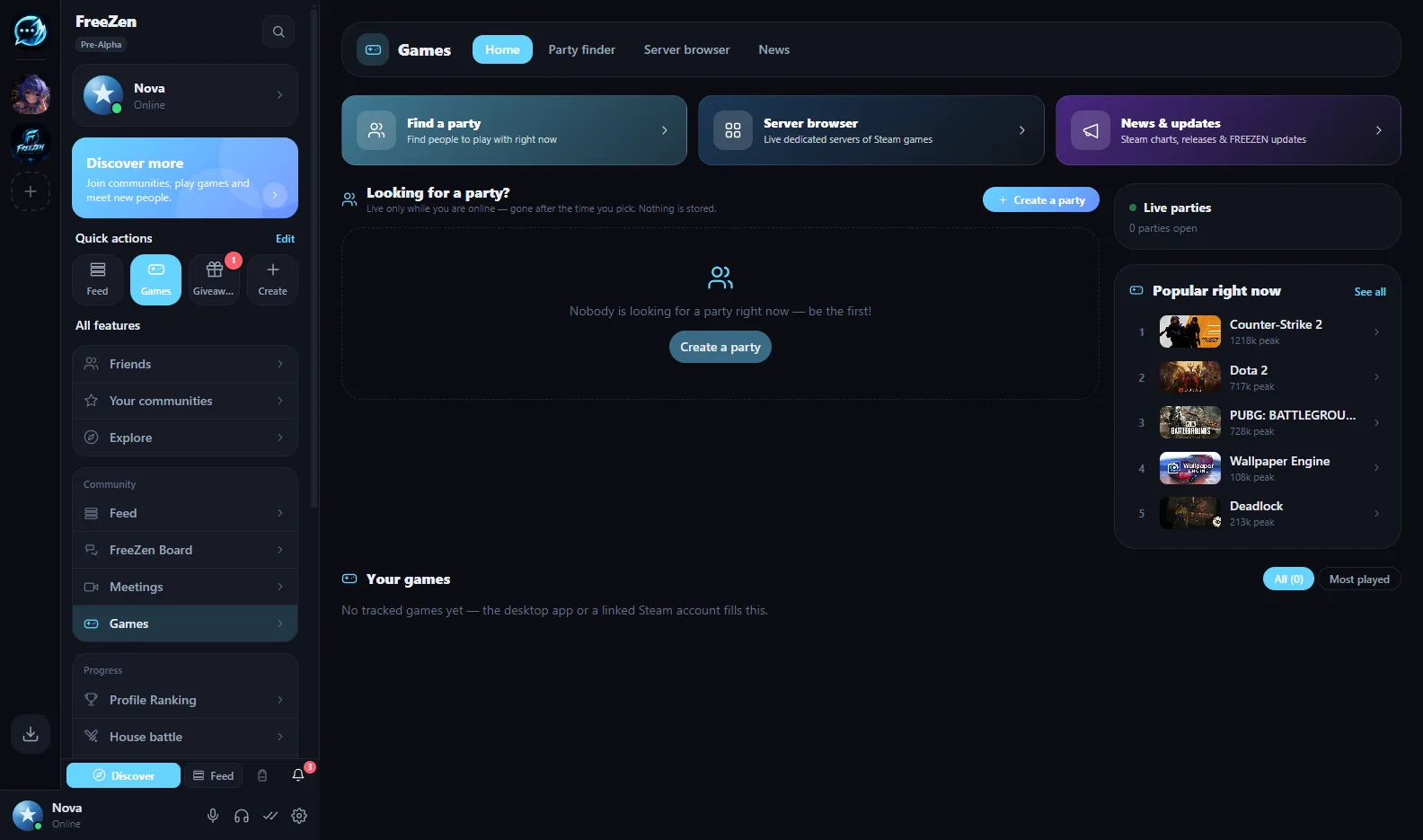
Built for the way you play
In-game overlay
The desktop app shows who is talking on top of your game, so you never have to alt-tab.
Your own community server
Host your clan’s server yourself with a one-line installer, or start on a free beta server.
Events and raid planner
Plan raids and events with sign-ups, run tournaments and keep ELO ladders right inside your community.
Show off your profile
Themes, banners, frames and badges — plus a weekly profile ranking and house battles.
How it works
- 1
Create your free account
In the browser or with the app for Windows, Linux or Android — no credit card, no trial.
- 2
Add friends and games
Add your friends, pick the games you play and join communities from the directory.
- 3
Play together
Find a party, hop into voice and keep the overlay on while you play.
Frequently asked questions
What is a gaming hub?
One app for everything around your games: chatting with friends, voice calls while you play, your communities, finding a party, browsing game servers and following news of the games you play. FREEZEN bundles all of that in one place, for free.
Is FREEZEN just a Discord clone?
No. Chat, voice and communities are the foundation, but FREEZEN adds a games hub with party finder, Steam server browser, Steam charts, release calendar and game news, plus raid planners, tournaments and ELO ladders built into community servers.
How does the party finder work?
Open Discover → Games, pick a game and post what you are looking for — or join a party someone else posted. Then meet up in voice and play.
Does FREEZEN cost anything?
No. Your account and all features are free, without ads or a premium tier. Paid plans are only planned for managed hosting of community servers — self-hosting stays free.
On which platforms can I use it?
In any modern browser as a PWA, as a Windows app from the Microsoft Store, as a Linux AppImage and as an Android APK. An iOS app is not available yet.